
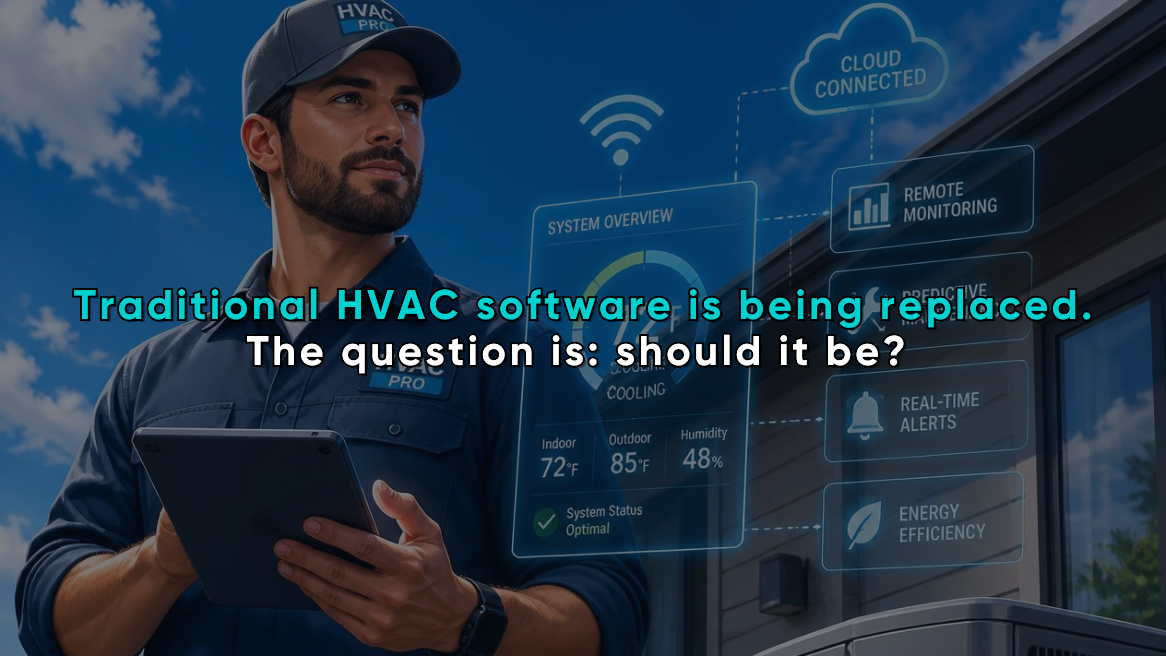
AI vs Traditional HVAC Software: What Contractors Gain and Risk in 2026
What really separates AI-powered from traditional HVAC software is how each system handles decisions.
It is how each system handles decisions.
Traditional HVAC software follows defined instructions. Enter customer information, select a service, complete a calculation, and generate a report. The workflow is predictable because the software performs the same programmed steps every time.
AI HVAC tools can go further. They can interpret information, identify patterns, recommend actions, summarize records, flag unusual inputs, and automate parts of a workflow that previously required human judgment.
That creates real opportunities for HVAC contractors. It also creates new risks.
The right AI HVAC software vs traditional HVAC software decision depends on where you need consistency, where you need speed, and where an experienced person still needs to verify the result.
Traditional HVAC Software Is Built for Repeatability
Traditional software is rules-based. A developer defines what the program should do under specific conditions, and the system follows those instructions.
Common examples include:
- Customer databases
- Scheduling calendars
- Flat-rate pricebooks
- Invoicing systems
- Equipment records
- Load calculation programs
- Home energy reporting tools
- Maintenance-plan pricing systems
This approach remains valuable because HVAC work depends on structured, repeatable processes.
When your team enters verified building information into a calculation tool, you want the same inputs to produce the same result. When a technician selects an approved maintenance plan, you want the software to apply the correct price, not invent a new one.
Traditional software is usually strongest when:
- The process is clearly defined.
- The output must be reproducible.
- The business uses standardized pricing or reporting.
- Compliance and documentation matter.
- There is little room for interpretation.
Its limitation is equally clear: traditional software normally cannot adapt beyond the rules it has been given.
It may identify that a required field is empty, but it may not recognize that an entered insulation value looks inconsistent with the home’s age, construction type, or other field observations.
AI HVAC Tools Add Interpretation and Automation
AI-powered software uses models and historical information to recognize patterns, classify data, generate content, or suggest likely next steps.
In an HVAC business, that may include:
- Summarizing technician notes
- Categorizing incoming leads
- Prioritizing follow-up opportunities
- Suggesting appointment times
- Identifying incomplete or questionable audit data
- Turning load or energy information into customer-friendly explanations
- Drafting proposals and follow-up messages
- Reviewing call recordings for coaching opportunities
- Predicting which customers may be ready for maintenance-plan renewal
The distinction matters. A standard automation follows an instruction such as, “Send this email three days after the estimate.”
An AI-assisted workflow may review the estimated status, customer history, equipment age, previous communication, and service needs before suggesting what the follow-up should say.
Contractor platforms increasingly position AI as a way to reduce administrative work across scheduling, dispatching, invoicing, customer communication, and field operations. The useful implementations are embedded in real workflows rather than added as a stand-alone chatbot.
HVAC Software Comparison: Where AI Creates the Most Value
AI does not improve every software function equally. Its value is highest where your team handles large amounts of information, repeats time-consuming administrative work, or needs to make sense of inconsistent data.
Faster lead response
Speed matters when a homeowner requests an estimate or reports a no-cooling emergency.
Traditional software may capture the form submission and notify the office. An AI-assisted system may also:
- Classify the request.
- Identify the likely service category.
- Check service-area eligibility.
- Draft a response.
- Suggest an appointment window.
- Route the opportunity to the right person.
None of this makes the lead itself more valuable, but it does shorten the gap between inquiry and action.
Cleaner field documentation
Technician notes often vary widely. One technician writes a detailed description. Another enters three words and a photo.
AI can help standardize that information by turning rough notes, voice recordings, photos, and form responses into structured summaries. The office receives a clearer record, and the technician spends less time typing.
Human review still matters. A polished summary can look correct even when the original information was incomplete.
Better use of load and home-audit data
The strongest AI applications leave the underlying calculation alone and improve the workflow around it instead.
For example, AI may help:
- Flag an unusual building input.
- Identify missing property information.
- Compare different improvement scenarios.
- Explain heat loss or heat gain results in plain language.
- Convert home-performance findings into a draft list of recommendations.
- Organize report data for a sales presentation.
A general-purpose chatbot cannot reliably determine a building’s heating or cooling requirement from a short description. Accurate results still depend on verified information about the structure, windows, insulation, infiltration, orientation, indoor conditions, and outdoor conditions.
More consistent proposals
Traditional proposal software provides templates, pricing tables, and predefined options. AI can use the available job information to draft descriptions, organize recommendations, and tailor the presentation to the customer’s stated concerns.
That can shorten proposal turnaround. It can also help less-experienced comfort advisors explain technical findings more clearly.
The pricing, scope, equipment recommendation, and calculation data should still come from approved business systems. AI should explain verified information not become the source of truth.
Read: AI HVAC Proposal Generators: Create Instant Quotes from Load Calculation Data
Smarter customer follow-up
Most HVAC businesses already have useful information in their customer records:
- Equipment age
- Repair history
- Previous estimates
- Maintenance status
- Comfort complaints
- Audit findings
- Unresolved recommendations
Traditional software stores that information. AI can help determine when it may be relevant.
A contractor could use AI-assisted segmentation to identify customers with aging equipment, lapsed plans, unresolved comfort issues, or past recommendations that were never completed. The system may then prepare a targeted follow-up for staff approval.
That is more useful than sending the same seasonal message to the entire database.
What Contractors Risk When They Add AI
AI software introduces risks that are different from ordinary software errors.
Traditional programs can contain bugs, but they are generally expected to produce repeatable results. AI outputs may vary, and a confident response is not proof that the response is correct.
The National Institute of Standards and Technology identifies several AI-specific concerns, including data quality, privacy risks created by data aggregation, limited transparency, model drift, testing difficulties, and reduced reproducibility.
For contractors, those issues become practical business risks.
Incorrect recommendations that sound credible
An AI-generated explanation can be clear, professional, and wrong.
That becomes dangerous when staff assumes the wording reflects verified engineering or field conditions. A system may misunderstand technician notes, fill gaps with an unsupported assumption, or recommend a next step without enough context.
Keep human approval in any workflow involving:
- Load inputs
- Equipment recommendations
- Safety concerns
- Diagnostic conclusions
- Project scope
- Customer pricing
- Contract language
- Energy-savings claims
AI can prepare the work. A qualified person should own the decision.
Customer and property data exposure
HVAC records may contain names, addresses, contact details, building characteristics, equipment information, payment data, access instructions, and recorded conversations.
Before sending that information through an AI tool, determine:
- What data the vendor collects
- Where it is stored
- Whether it is used to train models
- How long it is retained
- Which employees or subcontractors can access it
- Whether data can be deleted or exported
- Which integrations can read or change customer records
Do not assume that an AI feature follows the same data rules as the main software platform. Review the terms and security documentation.
Automation acting on bad data
AI does not repair a weak process.
When customer records are duplicated, pricebooks are outdated, technician notes are incomplete, or service categories are inconsistent, automation can spread the problem faster.
For example, an AI follow-up system may send the wrong message because the customer’s job status was never updated. A proposal tool may use an outdated service description. A lead-scoring model may deprioritize a profitable opportunity because previous records were poorly categorized.
Clean data is the foundation of useful AI.
Loss of practical judgment
An experienced technician notices details that are difficult to capture in a form: an unusual sound, poor workmanship, inconsistent airflow, moisture staining, an inaccurate homeowner assumption, or a building modification that does not appear in the records.
Software should help preserve and distribute that judgment, not train employees to stop using it.
The risk increases when a company rolls out AI without defining who is responsible for checking the output.
Traditional Software Still Wins in Several Areas
AI is not automatically an upgrade.
Traditional rules-based software is often the better choice for:
- Approved pricing calculations
- Standard report generation
- Defined financial formulas
- Recurring billing rules
- Required field validation
- User permissions
- Audit trails
- Reproducible load calculations
- Final contract and invoice records
These functions benefit from predictability.
The best HVAC software in 2026 is therefore unlikely to be purely “traditional” or purely “AI.” For most contractors, the stronger model is a structured system of record with carefully selected AI features layered around it.
The calculation engine, customer record, pricebook, and approved workflow remain controlled. AI helps collect information, catch inconsistencies, summarize findings, and move the work forward.
AI HVAC Software vs Traditional HVAC Software at a Glance
| Business Need | Traditional Software | AI-Assisted Software |
| Producing repeatable calculations | Strong | Should support, not replace, the calculation |
| Scheduling standard appointments | Strong | Can suggest times and optimize routing |
| Generating fixed-price options | Strong | Can help explain or present the options |
| Summarizing technician notes | Limited | Strong |
| Detecting unusual inputs | Basic rule checks | Can identify broader patterns |
| Writing customer follow-ups | Template-based | Can personalize drafts |
| Interpreting unstructured information | Limited | Stronger, but requires review |
| Producing auditable results | Usually predictable | Depends on the platform and controls |
| Handling unexpected conditions | Requires new rules | May adapt, but can make unsupported assumptions |
| Protecting against wrong outputs | Easier to test | Requires monitoring and human oversight |
How to Evaluate the Best HVAC Software in 2026
Do not choose a platform because it uses the word “AI.” Choose it because it solves a defined operational problem.
Use this process.
1. Identify the workflow bottleneck
Start with one measurable issue, such as:
- Missed calls
- Slow proposal turnaround
- Duplicate data entry
- Inconsistent technician notes
- Weak estimate follow-up
- Time-consuming home-audit reports
- Poor maintenance-plan renewal rates
A broad goal such as “use more AI” gives you nothing useful to measure.
2. Confirm where the source data comes from
Ask whether the AI uses information from your:
- CRM
- Load calculation records
- Home energy reports
- Pricebook
- Scheduling platform
- Call system
- Proposal tool
- Maintenance-plan database
An isolated AI tool creates more work when employees have to copy information in and out manually. Integration quality matters as much as the AI model.
3. Separate suggestions from approved actions
Define what the software may do automatically and what requires review.
Low-risk automation may include:
- Creating an internal summary
- Tagging a lead
- Drafting an email
- Reminding an employee
- Flagging an incomplete record
Higher-risk actions should normally require approval:
- Sending final pricing
- Changing a job scope
- Making a diagnostic claim
- Recommending equipment
- Publishing an energy-savings estimate
- Modifying customer agreements
4. Test the software with imperfect information
A controlled demonstration with clean sample data proves very little.
Test realistic situations:
- Missing fields
- Conflicting technician notes
- Duplicate customer records
- Unusual building characteristics
- Incorrect voice transcription
- An out-of-service-area lead
- A customer with multiple properties
- A pricing item that has recently changed
You need to know how the tool fails, not only how it performs under ideal conditions.
5. Measure the outcome
Run a limited pilot tied to one or two metrics.
Depending on the tool, track:
- Response time
- Administrative time per job
- Proposal turnaround
- Booking rate
- Follow-up completion
- Data-entry corrections
- Estimate conversion
- Maintenance-plan renewals
- Customer complaints
- Frequency of human corrections
Keep the tool only when it produces a measurable improvement without creating unacceptable risk.
The Best 2026 Strategy Is Controlled AI
Contractors do not need to replace their entire software stack to benefit from AI.
A better approach is to protect the workflows that require precision and add AI where interpretation or repetitive administrative work slows the team down.
That usually means:
- Keep calculations, pricing rules, customer records, and final documents inside controlled software.
- Use AI to collect, organize, summarize, and explain information.
- Connect systems so employees are not transferring data manually.
- Require human approval for technical, financial, contractual, and safety-related decisions.
- Review results regularly rather than assuming the automation will remain accurate.
This model captures the value of AI without handing over decisions that belong to trained HVAC professionals.
Where EDS Fits in an AI-Assisted HVAC Workflow
Energy Design Systems (EDS) provides structured HVAC tools that can serve as reliable parts of a modern software stack.
EDS tools support contractors with:
- Cloud-based heat loss and heat gain calculations
- Professional load reports
- Home energy modeling and homeowner-facing reports
- Maintenance-plan and menu-pricing workflows
- Lead-generation tools
- Connections to other business systems through platforms such as Zapier
The goal isn’t to let AI design a system or make an unsupported field decision, but to give your team better information, reduce repetitive work, and make verified results easier to use throughout the customer journey.
For example, your team can collect building information, produce a heat-load report, evaluate broader home-performance concerns, and use those findings in a connected sales or follow-up workflow. AI can help organize and communicate the information, while the contractor remains responsible for the final recommendation.
EDS’s HVAC Home Auditor is designed to turn field and energy information into structured reports that help contractors explain comfort and efficiency opportunities. Its load calculation software provides repeatable calculations and professional documentation. These structured outputs give AI-assisted workflows something dependable to work from.
That balance matters in 2026.
Use traditional software where the answer must be controlled. Use AI where the process needs speed, interpretation, or better communication. The contractors who understand the difference will gain more from AI and take on far less risk.
Related posts
-
![Hvac Business Software]()
Hand-picked Marketing Strategies To Help You Boost Your HVAC Business Revenue
Modern homeowners turn to Google to find the HVAC system provider near them. There are not one or two HVAC companies out there, the number is quite huge. There are more than a hundred thousand HVAC businesses in the United States. And each one is competing to be in the $81.1 billion per year…
-
![HVAC Industry Trends]()
HVAC Industry Trends & Statistics You Must Know to Survive in 2021 and Ahead!
HVAC Industry Trends & Statistics You Must Know to Survive in 2021 and Ahead! The HVAC industry is growing faster with each passing day. It is the industry that will never face any kind of a shortage of needs, there will always be homeowners or business owners who will need HVAC services now and then. We are…

