
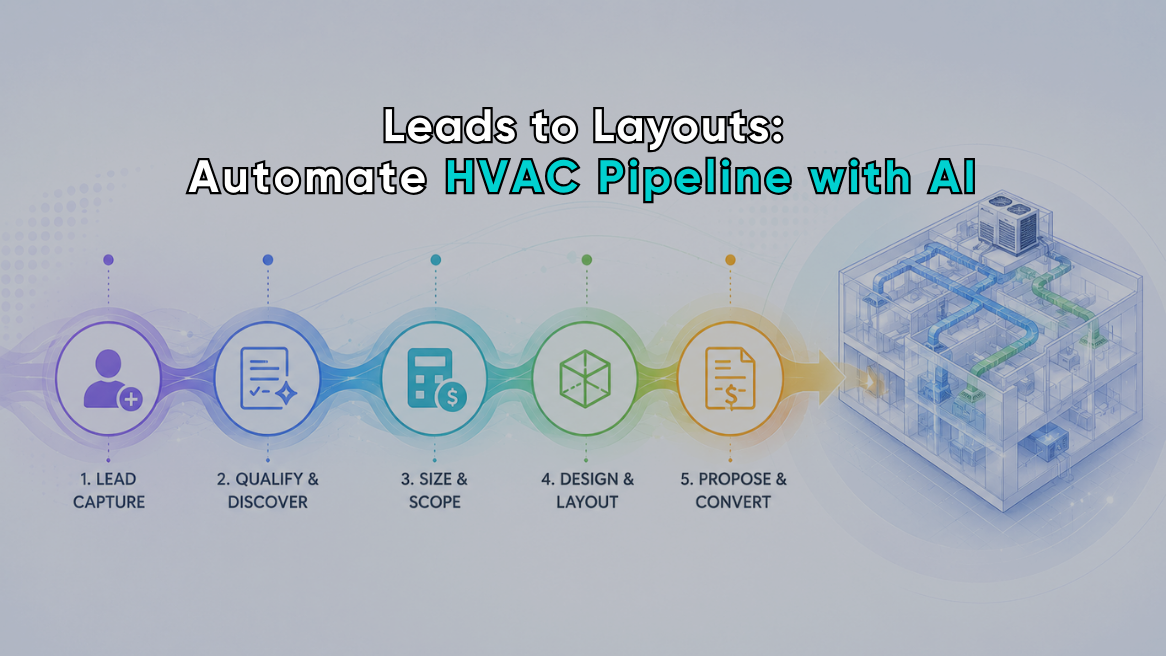
From Leads to Layouts: Using HVAC Sales Automation AI Across the Entire Pipeline
Most HVAC sales pipelines do not break because the company lacks leads. They break at the handoffs.
A homeowner fills out a form, and someone has to copy the details into the CRM. A comfort advisor takes measurements that end up stored apart from the customer record. Later, when load results come in, pricing gets rebuilt from scratch, and the installation team is left working from a mix of PDFs, notes, and verbal instructions.
HVAC sales automation AI can connect those steps into one controlled workflow. Instead of treating lead management, field assessment, load calculations, pricing, proposals, and technical handoff as separate processes, contractors can build an AI HVAC pipeline in which information moves forward with the job.
AI isn’t meant to design an HVAC system on its own here. Its job is to give qualified professionals cleaner data, faster calculations, more consistent proposals, and a better starting point for final design decisions.
The Real Opportunity Is Between the Software Tools
Most established HVAC companies already use several digital tools:
- Website lead forms
- Advertising platforms
- Customer relationship management software
- Scheduling and dispatch systems
- Field assessment applications
- HVAC Load calculation software
- Pricebooks
- Proposal generators
- Project management platforms
Most of these companies already have plenty of software. What’s missing is the connection between those systems.
When tools are disconnected, your team repeatedly enters the same customer name, address, project details, equipment information, and building data. Each manual transfer adds another opportunity for missing information, inconsistent values, or delays.
HVAC workflow automation AI addresses that problem by coordinating the movement of data. It can trigger tasks, check records, summarize notes, identify missing fields, create draft documents, and notify the right team member when human review is required.
The automation should follow your process. Your process should not be distorted to accommodate the automation.
Stage 1: Turn New Leads Into Structured Opportunities
A typical HVAC lead may begin with a phone call, web form, chat conversation, referral, or paid advertisement. These sources rarely collect information in the same format.
An automated lead workflow can standardize the initial record by capturing details such as:
- Customer name and contact information
- Property address
- Type of service requested
- Existing equipment type and age
- Known comfort problems
- Areas of the home affected
- Preferred appointment times
- Lead source and campaign
- Urgency of the request
AI can also review unstructured messages and convert them into useful CRM fields. A homeowner might write, “The upstairs never cools, and our electric bill jumped after we finished the attic.” The system can classify that lead as a comfort and replacement opportunity, note the attic modification, and recommend a more detailed home assessment.
That does not mean AI should decide what equipment the customer needs. At this stage, it should help your team understand the request and route it correctly.
Stage 2: Route, Schedule, and Prepare the Sales Call
Once a lead is qualified, automation can assign it based on territory, availability, job type, or employee skill set.
The assigned salesperson or technician should not arrive with only a name and address. A connected workflow can prepare a concise job summary that includes:
- The homeowner’s stated concerns
- Relevant notes from previous service visits
- Existing equipment records
- Property information has already been collected
- Photos or documents submitted by the customer
- Questions that still need to be answered
This is one of the most practical uses of AI in HVAC sales. It reduces the time spent searching through records without hiding the source information.
Automated reminders can also improve appointment preparation. The customer can receive instructions to provide access to the attic, basement, mechanical room, or utility bills when those items are relevant to the assessment.
Stage 3: Create a Consistent Field Assessment
The final recommendation is only as good as the information collected at the property.
Free-form notes alone are not enough. A field assessment should guide the comfort advisor through a repeatable process while allowing room for unusual building conditions.
Depending on the project, the workflow may collect:
- Building dimensions
- Ceiling heights
- Insulation conditions
- Window types and approximate areas
- Orientation and solar exposure
- Air leakage observations
- Existing equipment information
- Room-by-room comfort complaints
- Renovations, additions, or converted spaces
- Homeowner priorities
- Energy-use concerns
- Photos and technician notes
AI can support this process by flagging empty fields, conflicting measurements, duplicated rooms, or values that deserve a second look. It can also convert dictated notes into structured entries.
The keyword is flagging. AI should not invent a missing insulation value or quietly replace an unusual measurement with an average. The contractor must be able to separate measured information, customer-provided information, and estimates.
EDS has described this approach as an intelligence layer around a structured calculation process: AI can improve data collection and validation, but accurate inputs and professional review remain essential.
Stage 4: Use HVAC Design Automation Without Giving Up Control
The phrase HVAC design automation can be misleading. Load calculations support design decisions, but they do not automatically determine every aspect of the finished system.
A connected calculation workflow can:
- Import verified property and customer information.
- Populate the relevant project fields.
- Identify missing inputs before calculation.
- Generate heat loss and heat gain results.
- Allow the contractor to compare legitimate improvement scenarios.
- Produce a documented report for review.
- Send approved results to the next stage of the sales process.
This removes administrative work around the calculation, though it doesn’t eliminate the need to review building conditions, installation constraints, equipment performance, air distribution, or customer expectations.
That distinction protects the contractor. A fast answer is useful only when the inputs and assumptions are supportable.
Modern calculation tools can also help sales teams respond to changes while they are still at the property. When insulation, windows, conditioned space, or other meaningful input is corrected, the report can be updated without rebuilding the entire project from scratch.
Stage 5: Connect Results to Pricing and Options
The next weak point is often the transition from technical results to a customer-facing recommendation.
A salesperson may have accurate load information but still needs to search a pricebook, confirm equipment availability, calculate accessories, add labor, and price maintenance options. When this process is handled manually, similar customers may receive proposals built in completely different ways.
A connected workflow can use approved project information to assemble eligible options. Those options might include:
- Appropriate equipment categories
- Efficiency upgrades
- Indoor air quality products
- Controls and accessories
- Building-envelope recommendations
- Maintenance plan choices
- Financing information
- Required installation allowances
AI can help organize and explain these choices, but pricing rules should come from controlled company data. It should not guess labor costs, margins, rebates, or equipment availability.
This is where HVAC workflow automation AI needs firm guardrails. The system can prepare a draft. Authorized team members still approve the recommendation and final price.
Stage 6: Build HVAC Proposal Automation Around Verified Data
HVAC proposal automation is most valuable when it uses information that has already been collected and reviewed.
Instead of asking a salesperson to create every proposal from a blank page, the software can pull in:
- Customer and property details
- Existing-system observations
- Load report results
- Home energy findings
- Selected equipment options
- Pricing and maintenance plans
- Financing or payment choices
- Photos and supporting documentation
- Recommended next steps
AI can then turn technical information into plain English. For example, it can explain why replacing an existing unit with the same nominal capacity may not be the best approach or how an attic improvement could affect the building load.
The generated explanation must match the underlying report. Every proposal should be reviewed before it reaches the customer.
EDS describes HVAC proposal automation as the use of sales and assessment information, including load results, home energy data, pricing, equipment options, and maintenance plans, to create proposals with less manual transfer between systems.
Stage 7: Turn the Sold Proposal Into a Design-Ready Handoff
Closing the sale marks another handoff, not the end of the pipeline.
The operations or design team needs a clean project record containing the information behind the sale. That may include:
- Approved load reports
- Verified building measurements
- Selected equipment
- Customer-approved accessories
- Site photos
- Electrical or fuel requirements
- Installation constraints
- Permit-related documents
- Scope exclusions
- Open technical questions
- Final pricing and signed approvals
This is where “leads to layouts” becomes practical. The automation does not have to produce a finished mechanical layout. It needs to deliver an organized, design-ready package so the responsible professional can complete equipment selection, air-distribution planning, installation preparation, and final verification without reconstructing the sales visit.
When the installation team has access to the same approved information used to build the proposal, costly interpretation problems become less likely.
What AI Should Never Approve by Itself
Contractors should place mandatory human checkpoints around decisions that affect comfort, performance, cost, or project scope.
Do not allow an AI workflow to independently approve:
- Questionable field measurements
- Final load assumptions
- Equipment selections
- Unverified pricing
- Changes to project scope
- Code or permitting decisions
- Installation layouts
- Customer-facing performance guarantees
Good automation makes professional judgment easier to apply. Bad automation hides where judgment was required.
How to Build an AI HVAC Pipeline Without Overcomplicating It
Do not try to automate the entire company at once.
Start with the handoff creating the most rework.
1. Map the existing workflow
Document where information begins, who touches it, which software stores it, and where someone re-enters it.
2. Standardize essential fields
Agree on naming conventions for customer records, addresses, equipment, building components, project stages, and proposal statuses.
3. Connect one high-value workflow
A useful first project might connect lead capture to CRM creation, field assessments to load reports, or approved results to proposal drafts.
4. Add validation rules
Define which fields are required, which values should be flagged, and which actions require approval.
5. Track operational results
Monitor indicators such as:
- Lead response time
- Time from assessment to proposal
- Duplicate data entry
- Proposals requiring correction
- Missing installation information
- Follow-up completion
- Close rate by lead source
- Callbacks linked to sales or documentation errors
The best automation project is not the one with the most AI. It is the one that removes a measurable source of friction.
Where EDS Fits Into HVAC Sales and Design Automation
Energy Design Systems (EDS) provides cloud-based tools that can support several stages of this connected workflow.
The EDS product lineup includes HVAC load calculation software, the HVAC Home Auditor, lead-generation tools, menu pricing, and an API application. These tools can help contractors create heat load reports, produce home energy reports, price maintenance plan options, and move structured information into broader sales workflows.
For companies using external business platforms, integrations can help connect calculation and assessment information with CRM, job-management, and automation systems. EDS has also documented workflows involving ServiceTitan and Zapier for reducing repeated entry between operational tools.
None of this adds up to a fully autonomous HVAC company, and it isn’t meant to.
A well-built AI HVAC pipeline gives your team a reliable path from the first customer inquiry to a documented, design-ready project. AI handles the repetitive movement and organization of information. Your people verify the building, approve the recommendation, communicate with the customer, and make the final technical decisions.
Related posts
-
![HVAC Software]()
HVAC Software – Reasons That Makes It a Worthy Investment For HVAC Service Providers
You know the HVAC industry and you are well-aware of what it takes to deliver exceptional field services. Heat and cooling load calculation is a fundamental service every HVAC designer and consultant should provide to help homeowners get the appropriate HVAC system solution. An appropriately sized heat and cooling system not just provides the right-sized…
-
![HVAC Service Providers]()
Energy Design Systems Has Launched EDS – Complete Suite for HVAC Service Providers
Today, Energy Design Systems (EDS), an industry leader in providing and implementing HVAC engineering and sales systems, has launched EDS – a complete suite of connected solutions and services that combine the Company’s 20 years of HVAC industry expertise with cutting-edge technology. This digital platform, when used together for load calculation and home energy audits,…

